
How to Move a Computer


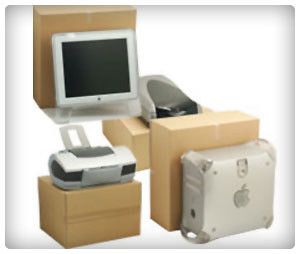
Want to safely move your computer?
Moving your computer is like moving your file cabinet, family albums, record collection, book shelf, and artwork all at once… in one fragile box.
Computers are expensive and hold valuable, and often irreplaceable, information and files. Unfortunately, they are also quite fragile and susceptible to accidents during a move. Make sure to take added care when packing and moving your computer, monitor, and any external devices.
Protecting Your Data
Your data is the most important part of your computer. If your computer was to, gulp, crash during the commute to your new home, you want to make sure that you still have all your pictures, music and documents.
- External hard drives – External hard drives cost about $50 and can store many times the amount of information on your computer. Most can fit in your pocket and be used to transfer your data between computers. They’re a good thing to have even if you’re not moving.
- The cloud – There are many online databases that allow you to store your information on them. Most are free up to a certain extent, but if you want to store all your pictures and music, expect to pay a fee.
- Zip drives – Zip drives are like mini external hard drives. They won’t be able to fit everything, but most can fit your most essential information.
- Blank discs – You can buy 10 or so blank discs and burn your most important information onto them.
Shutting Down
When you’ve backed up your data and are ready to move, you can shut down your computer. Be sure to power down the monitor, main unit, any external devices before unplugging everything.
Wrap cables and cords carefully, and mark them with a piece of masking tape, making note of which cable goes into which device.
It’s also a good idea to take the print cartridges out of your printer before you pack it up.
Packing Your Hard Drive, Monitor and External Devices
- Original packaging – It’s always best to pack your computer monitor, hard drive and tower in their original packaging. The boxes and rigid packing material are designed to hold your equipment in place better than anything else.
- Boxes and cushioning – In the event you don’t have the original packing materials, you should buy appropriately sized boxes with some sort of shock resistant padding, such as packing peanuts or bubble wrap.
- Protect your screen – Place a covering over the screen of your monitor to prevent scratching.
- Watch the motherboard – Your tower or hard drive needs to be packed in whatever direction keeps the motherboard lying flat. Consult your manual if you are unsure which direction this is.
Return to: Specialty Moves
Related Articles
Moving a Piano
How to Move a Car
Moving a TV
How to Move a Plant
 Call for FREE Moving Quotes
(866) 492-1730


Calculate Your Moving Cost
Moving Articles:
Sorry. No data so far.